





Opens in the Canvas studio
Structured diagram studios for system design, workshops, and diagram-as-code.
The diagram route brings canvas, diagram, architecture, and automation studios into one workflow so workshops, incident flows, C4 views, and coded diagrams can be built, reviewed, and exported without moving between separate tools.
4 studios
135 templates

Choose a studio
My Projects →Four editors, one for each kind of work. Projects, drafts, and exports stay shared across all of them.
- CanvasOpen a blank whiteboard for workshops, story maps, and early structure.
- DiagramOpen the structured editor for flowcharts, sequences, ERDs, and org views.
- ArchitectureOpen enterprise, software, or process architecture tabs and map the system directly.
- AutomationWrite Mermaid, D2, PlantUML, Graphviz, DBML, and more with live preview and export-ready output.
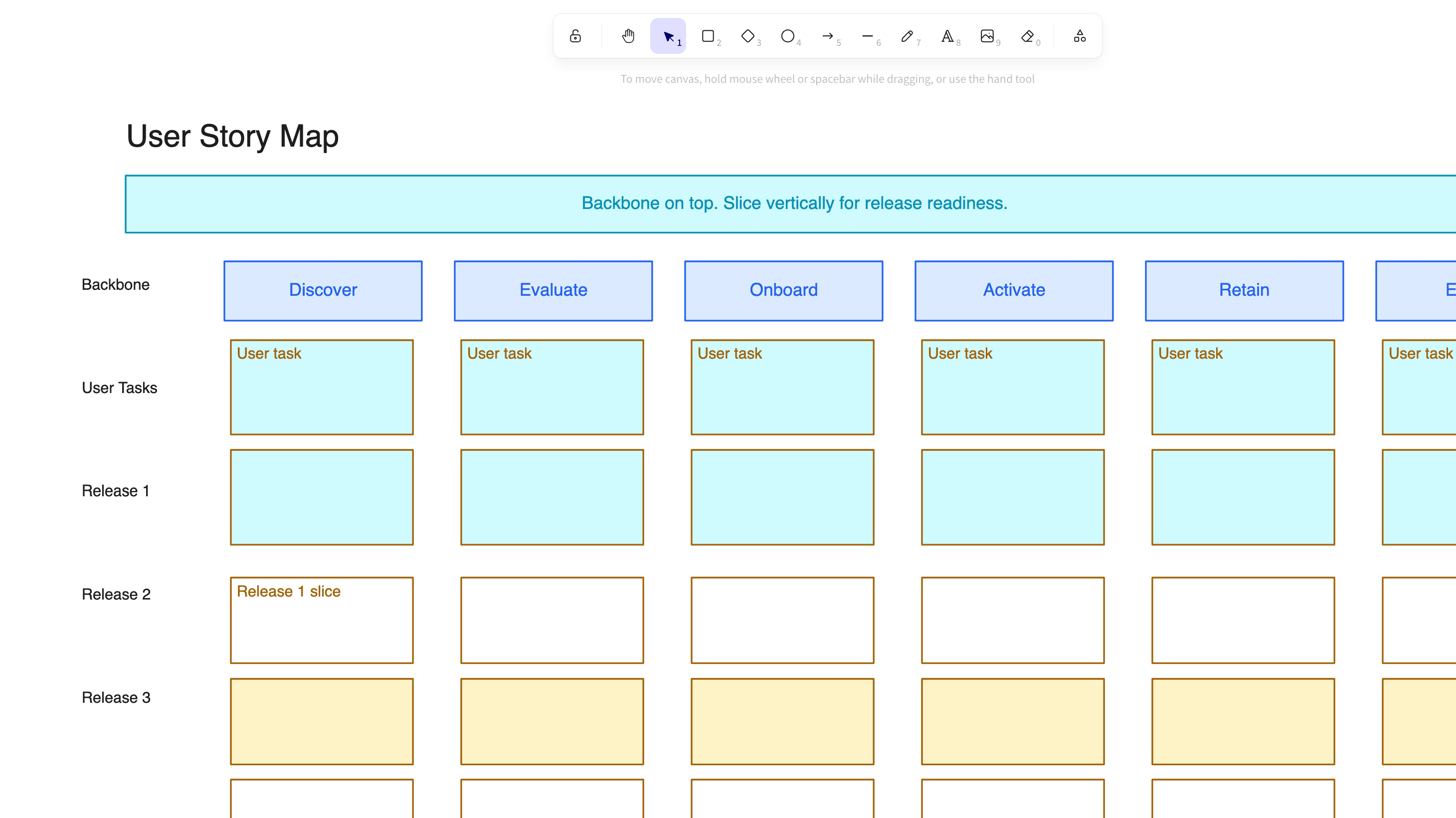
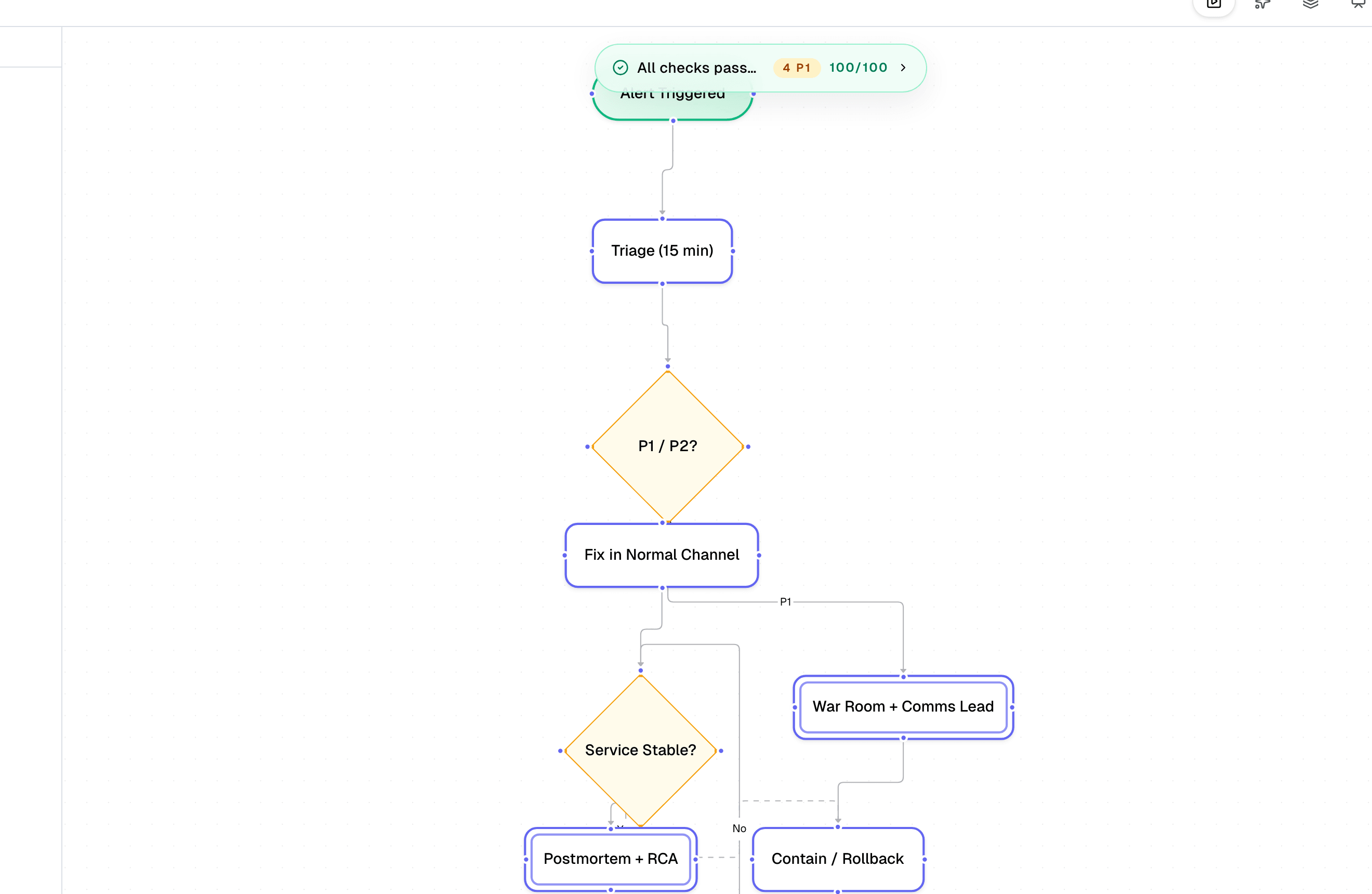
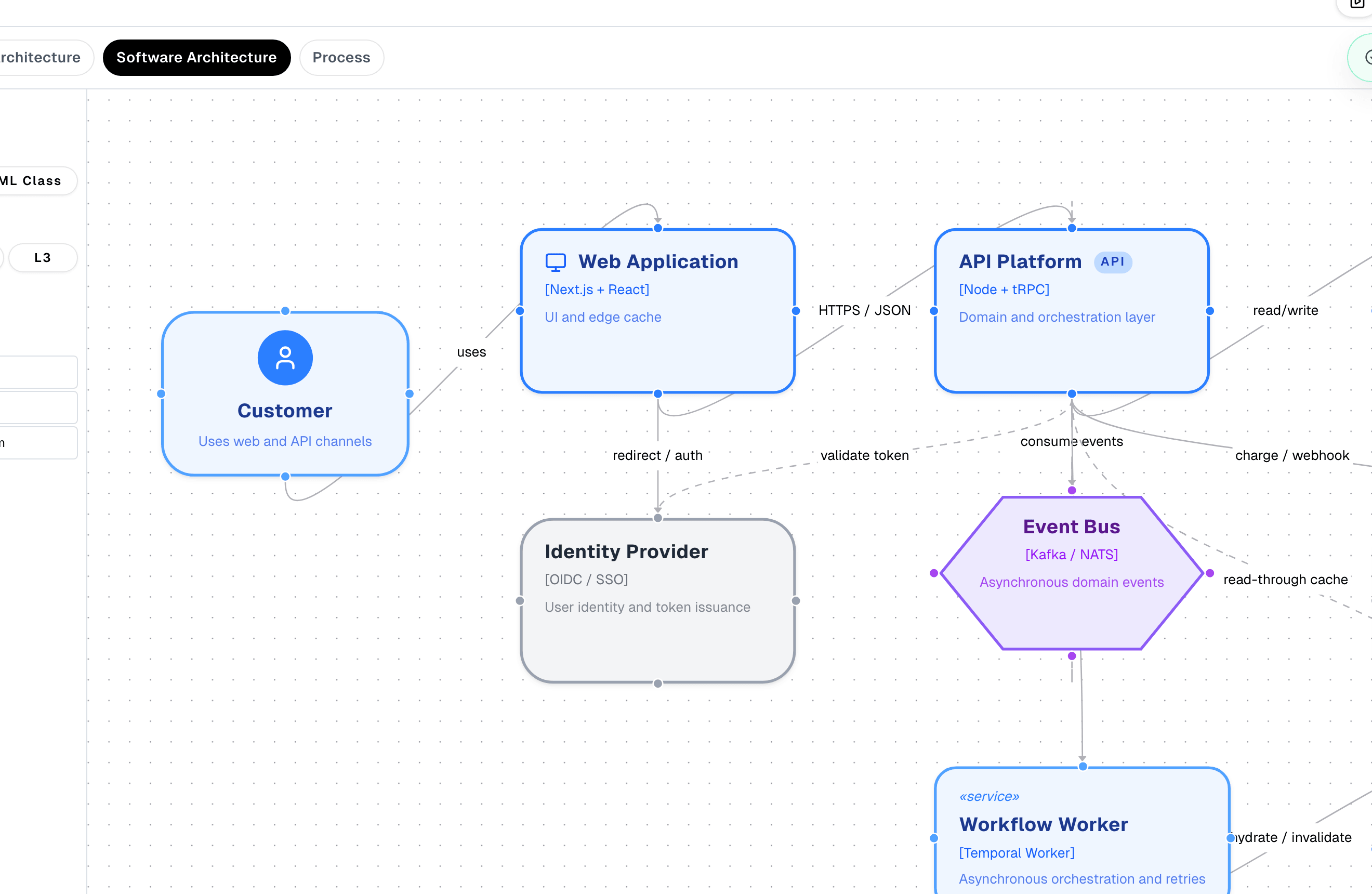
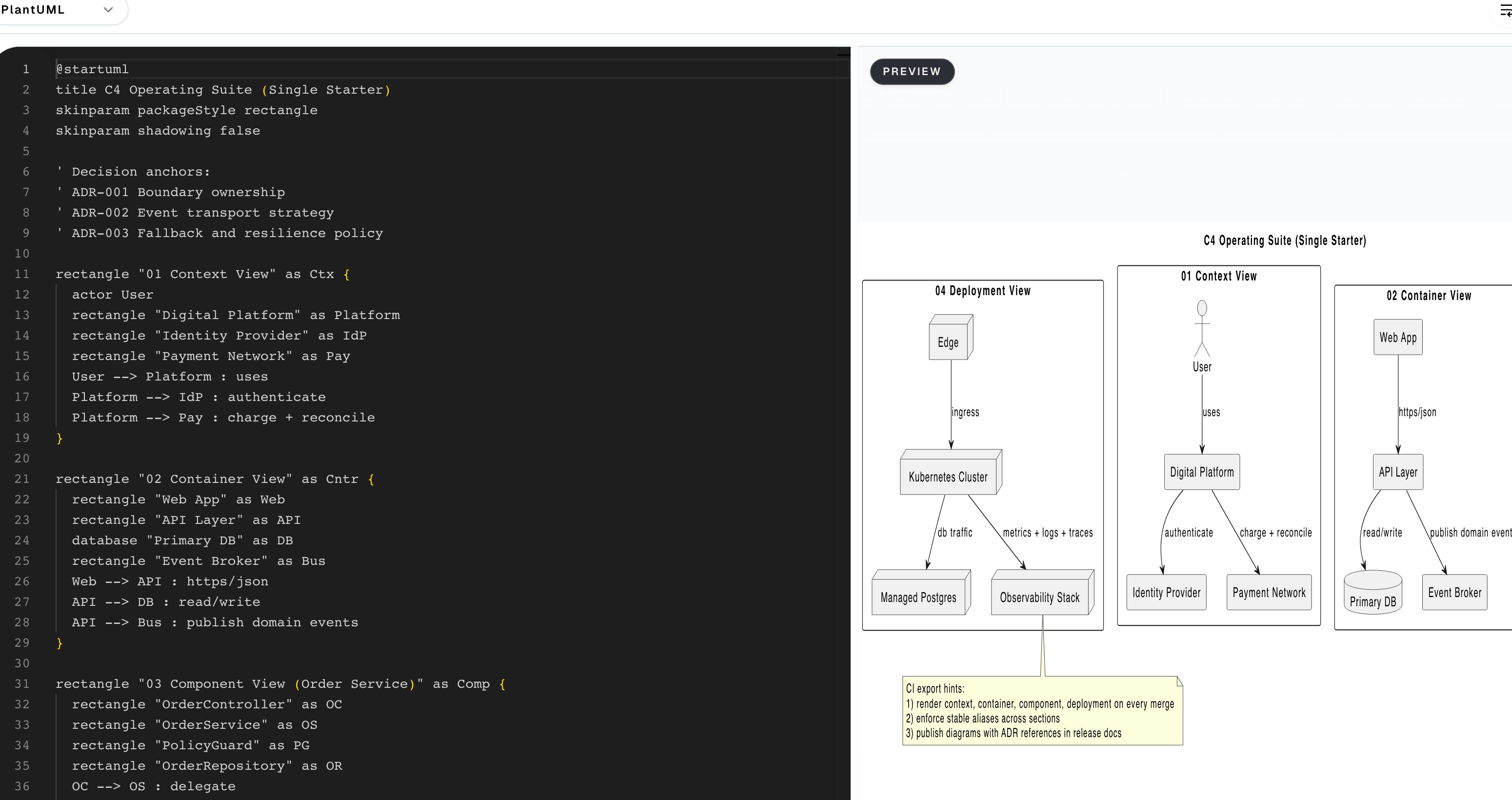
Boards open seeded for real sessions: retros, story maps and pre-mortems with frames already in place.
Open blank CanvasBrowse templates
Every card is the real artefact. Studio templates open straight in their editor, interactive tools score and edit the framework itself, and Enterprise Architecture workspace templates open their full tool page.
Browse the architecture template library for reference models and pattern starters held outside the studio.
Collection
Topic
Framework
135 of 135 templates
Template catalogue
Opens in the Canvas studio
Opens in the Canvas studio
Opens in the Diagram studio
Opens in the Diagram studio
Opens in the Diagram studio
Opens in the Architecture studio
Opens in the Automation studio
Opens in the Automation studio
Opens in the Automation studio
Porter five forces: where the pressure on industry margins comes from
Competitive rivalry sits at the centre and the four outside forces press in on it. Each card carries its canonical prompts and, once scored, the pressure that force is exerting.
Porter
PESTLE analysis: six lenses on the macro environment
Political, Economic, Social, Technological, Legal and Environmental categories in one scan. Each card holds up to four factors, and unedited cards show the canonical prompts from Aguilar's environmental scanning.
PESTLE
Eisenhower matrix: sorting the week by urgency and importance
Four quadrants prescribe a default action: do first what is urgent and important, schedule what matters but can wait, delegate the urgent noise, and eliminate the rest.
Eisenhower
BCG growth share matrix: where the portfolio earns and spends its cash
Market growth crossed with relative market share sorts every product into Stars, Question marks, Cash cows or Dogs, each quadrant carrying the investment posture Henderson prescribed for it.
BCG
Cynefin framework: matching the decision approach to the problem
Clear, Complicated, Complex and Chaotic domains each prescribe a different decision approach, from best practice to novel action, with Disorder at the centre for questions not yet placed.
Cynefin
OKR quarterly plan: one objective measured by four key results
A single qualitative objective for the quarter with up to four measurable key results beneath it, each carrying a progress bar so the state of the whole plan reads at a glance.
OKR
NIST CSF 2.0 function map: the six functions and their category counts
Govern, Identify, Protect, Detect, Respond and Recover, each with its official two letter code, its purpose in brief and its category count. Once scored, every card carries the coverage you have claimed for that function.
NIST CSF
ISO 27001 Annex A: four control themes and the Statement of Applicability
Annex A of ISO/IEC 27001:2022 groups 93 controls into four themes: Organisational with 37, People with 8, Physical with 14 and Technological with 34. Each card carries the theme's scope and, once scored, its readiness.
ISO 27001
CIS Controls v8.1: the eighteen controls by implementation group
All eighteen CIS Critical Security Controls v8.1, numbered 01 to 18, each carrying the lowest implementation group that activates it. Choose a target group and the controls in scope take the red tint.
CIS Controls
MITRE ATT&CK Enterprise: coverage across the fourteen tactics
The fourteen enterprise tactics in kill chain order, from Reconnaissance to Impact, read down the left column and on down the right. Each card shows your declared detection coverage at one of four levels.
MITRE ATT&CK
AWS Well-Architected Framework: maturity across the six pillars
Operational Excellence, Security, Reliability, Performance Efficiency, Cost Optimisation and Sustainability, each with its published focus. Once scored, every pillar card carries its maturity line.
AWS Well-Architected
Value proposition canvas: the value map answering the customer profile
The customer profile captures jobs, pains and gains on the right; the value map answers them on the left with products and services, pain relievers and gain creators. The fit connector between the halves is the test the canvas exists to run.
Strategyzer
Lean Canvas: nine blocks for testing an early-stage business model
Ash Maurya's adaptation of the Business Model Canvas keeps the nine-block grid but swaps the infrastructure blocks for Problem, Solution, Key Metrics and Unfair Advantage, the questions an unproven product has to answer first.
Lean Canvas
Jobs to be done: the four forces that decide whether a customer switches
The job statement fixes what the customer is trying to get done. Push of the present and pull of the new drive the switch; anxieties about switching and habits of the present resist it. The customer moves only when the first pair outweighs the second.
Jobs-to-be-Done
RAID register: risks, assumptions, issues and dependencies in view
Four quadrants hold a delivery's open exposure: the risks that might bite, the assumptions being relied on, the issues already live and the dependencies waiting on others.
RAID
DAMA-DMBOK wheel: eleven knowledge areas with Data Governance at the hub
Data Governance sits at the hub of the DMBOK wheel and the ten other knowledge areas sit around it, from Data Architecture to Data Quality. Each card carries the maturity you have claimed for that area on the one-to-five scale.
DAMA-DMBOK
GDPR Article 30 register: processing activities, purposes, bases and retention
Up to six processing-activity cards, each recording what the activity is, why the data is processed, which Article 6(1) lawful basis applies and how long the data is kept, the bones of an Article 30(1) record.
GDPR
NIST CSF 2.0 profile: current and target tiers across the six functions
Each CSF 2.0 function carries two bars on the four-tier scale, Partial to Adaptive: a solid bar for where practice stands today and an outlined bar for where the organisation intends to be.
NIST CSF
STRIDE threat canvas: six categories and the properties they violate
Spoofing, Tampering, Repudiation, Information Disclosure, Denial of Service and Elevation of Privilege, each card naming the security property the category violates and holding your threat and mitigation.
STRIDE
SABSA matrix: six layers by six questions, the 36 artefacts in one grid
The six SABSA layers from Contextual to Operational cross the six questions What, Why, How, Who, Where and When; every cell names the artefact a security architect produces at that intersection.
SABSA
OSI seven layer model: the ISO/IEC 7498-1 reference stack
The seven layers of the OSI Basic Reference Model stacked from layer 7 Application at the top to layer 1 Physical at the bottom, each with its number, official name, core function and canonical protocol examples.
OSI model
TCP/IP four layer model: the RFC 1122 internet protocol stack
The four layers of the TCP/IP model from RFC 1122, stacked from Application at the top to Link at the bottom, each with its core function, canonical protocols and the OSI layers it spans on the right.
TCP/IP
ITIL 4 service value chain: six activities turning demand into value
The six activities of the ITIL 4 service value chain. Engage, Design and Transition, Obtain or Build, and Deliver and Support form the central flow, while Plan and Improve span the whole chain above and below it.
ITIL 4
BPMN 2.0 level 1 process flow: an order to cash worked example
A descriptive level 1 BPMN flow through one order to cash pool: a start event, three tasks across the Customer and Sales lanes, one exclusive gateway and a thick bordered end event, joined by labelled sequence flows.
BPMN
Architecture maturity profile across eight capability dimensions
Each dimension is scored one to five against the maturity model: the filled bar is the score reached and the pale remainder is the headroom, so an even frontier means balanced maturity and the shortest bar, tagged Invest next, is where the next investment should go.
Preliminary
Mendelow's grid sorts stakeholders into four engagement strategies
Mendelow's grid places each stakeholder by how much power they hold against how much interest they take, and that position sets one of four strategies: the high-power, high-interest corner is managed closely and decided alongside, while the other three ask for far less.
Preliminary
Four quality tests a candidate architecture principle must clear
TOGAF runs every proposed principle through four named tests, understandability, robustness, completeness and consistency: clear all four and it is adopted, stop at any one and it is held, because a statement that fails a test is an opinion, not a principle fit to shape design.
Preliminary
Promoting a vague symptom into a scoped business scenario
A business scenario adds one precision at a time, naming the stakeholders, the trigger and the target outcome, until a vague symptom becomes a scoped statement the architecture work can act on, giving every later phase an agreed target rather than a guess dressed as method.
Phase A, Architecture Vision
Which capabilities carry the most severe gaps and rank first to fix
Scoring each capability against process, data, application and skills turns a maturity assessment into an order of work: the row with the most severe gaps ranks first, and reading down a column names the dimension that fails most often and so earns investment before the rest.
Phase B, Business Architecture
One accountable owner for every architecture deliverable
Each row is a deliverable and each column a role: R does the work, A owns the outcome, C is consulted and I is informed. The single accent cell in every row is its one Accountable owner, so a row with no A or two A's is visible at a glance as an ownership gap.
Phase G, Implementation Governance
Gap analysis matrix from baseline to target by domain
Every architecture domain settles on one decision: hold each row's baseline against its agreed target, name the gap between them, and record the action that closes it, so New builds what is missing, Transform reshapes what exists and Retain keeps what already fits.
Phase B, Business Architecture
An Architecture Decision Record adopting the IEC CIM for the LTDS
One record captures one decision and the reasoning around it: the context that motivates it, the option chosen, the consequences accepted in taking it and the alternatives set aside, so a later team sees not just what was chosen but why and what was weighed against it.
Phase G, Implementation Governance
A transition roadmap of operable states, each proven before the next begins
A transition state is not a milestone on a slide but an architecture the business can actually run, so the roadmap moves from today's baseline to the target only when each state's evidence gate is passed, and the arrow into a state carries the work packages that deliver it.
Phase E, Opportunities and Solutions
Readiness heatmap of five capabilities across four dimensions
Each capability is scored on People, Process, Data and Technology: green is ready, amber needs work, and the accent cell is the dimension blocking rollout, so clearing Data first releases both Digital intake and Asset MDM before the single-row blockers.
Phase E, Opportunities and Solutions
The governance path that moves a change forward or stalls it
A change clears Phase G governance when submission carries evidence, the board delegates routine calls to domain leads, and any waiver has an owner and an expiry: strip any one of those and the same change stalls into waiver, rework or rejection.
Phase G, Implementation Governance
The Business Model Canvas filled in for a distribution operator
Osterwalder's nine blocks read as two halves hinged on the value proposition: the left half is the supply it takes to deliver, the right half is the demand it serves, and the bottom bands check that allowed revenue covers what the network costs to run.
Phase B, Business Architecture
The TOGAF Architecture Repository holds eight partitions
The Metamodel frames the work from the top and the Capability governs it from the bottom; between them six content partitions each answer one question, ending at the Solutions Landscape where delivered building blocks land, so every artefact has exactly one home.
ADM-wide
Lean value stream map: process time against queue waste
The stage cards are the value-add steps and the amber labels between them are the queues work waits in; because the ribbon draws lead time to scale, the longest queue, not the slowest step, is the first waste to cut.
Phase B, Business Architecture
The building-block scorecard that settles reuse, buy or build
A product-neutral Architecture Building Block scores high on reuse and is worth building; a vendor-pinned Solution Building Block trades that reuse for proven maturity and speed, so high maturity at low cost is worth buying and the accented row is the block the scores recommend.
Phase C, Information Systems Architecture
The four TOGAF ADM iteration cycles as a closed ring
The ADM runs as four cycles you revisit, not four stages you finish: Capability frames Development, Development feeds Transition Planning, Governance holds the plan and reopens the next round, so dropping that closing handoff leaves a one-off document that ages the day it ships.
ADM-wide
TOGAF tailoring as a closed scope, scale, review and adjust cycle
TOGAF tailoring is not a one-shot choice made at kick-off: each programme scopes its dials, scales the method, reviews it against delivery and adjusts it, so the closing step hands the fitter method to the next programme and skipping it reuses a method nobody checked.
ADM-wide
Board-pack review: every artefact scored against the four gates
Every artefact is one row scored across four gates: is it complete, does each item trace to a concern, are its decisions sound, and does it read without the author present. One Fail blocks the whole package, so the application portfolio goes back for a Phase C rebuild.
ADM-wide
One accountable owner of truth behind every information domain
Every information domain traces to one accountable owner whose system is the source of truth, then out to the systems that consume it: a domain that is no system's source of truth is contested data waiting to break a downstream process.
Phase C, Information Systems Architecture
One register of every data entity and the system that masters it
Each core data entity is one row, tied to its domain, its authoritative source system, source type, quality and lifecycle. Naming one master per entity stops two systems both claiming it, and a live entity rated low quality is a flag the register surfaces rather than hides.
Phase C, Information Systems Architecture
Exactly one system of record for every master data entity
Each entity has one Master that may change it; every other system holds a read-only Replica or Consumer copy, so two systems both claiming to be Master is a conflict to resolve rather than a fact to record.
Phase C, Information Systems Architecture
The model column is the conformance contract every consumer reads from
Every network-asset data domain runs one path: a system of record holds it, a model or standard defines the contract it must conform to, and consumers read it back, so landing each domain in a model the operator already runs gives every consumer a shape it can trust.
Phase C, Information Systems Architecture
Metadata coverage across definition, lineage, quality and owner
A data entity is governed only when all four hold together: a definition, traceable lineage, an enforced quality rule and a named owner. The coverage read of Full, Partial or None makes the gap plain, so an entity documented on none of the four stands out as ungoverned.
Phase C, Information Systems Architecture
Analytics questions ranked by a composite readiness score
Funding rank follows a composite of data readiness, tool maturity and appetite, each scored one to five, so a wanted question still lands mid-tier when its data is not ready and the loudest stakeholder does not set the order.
Phase C, Information Systems Architecture
Integration coupling scored across five dimensions
Each row scores how tightly two systems are coupled on one dimension, from data and timing to platform and transaction, on a shared one-to-five scale, and the tightest row is the one to loosen first, since that is where a change in one system most forces a change in the other.
Phase C, Information Systems Architecture
Application portfolio strategy on the Gartner TIME quadrant
Business value against technical quality and fit are the two axes that drive every placement: invest in strong high-value systems as the estate destination, migrate valuable systems on weak technology, tolerate sound but low-value systems, and eliminate the rest.
Phase C, Information Systems Architecture
The six hidden steps behind a published LTDS product
Between the operator's systems and the regulator's desk the LTDS clears six owned steps, mapped to CIM, validated, packaged, published and consumed, so any of the five steps the reader never sees is still a place the data can be wrong and needs its own owner and check.
Phase C, Information Systems Architecture
Weighted scorecard for build, buy and SaaS platform options
Every option is scored one to five on cost, control, speed, scale, risk and vendor independence, and the six scores are summed, so the strongest total is marked while all six scores stay on show and no option can hide what it trades away.
Phase D, Technology Architecture
A risk register scored from inherent rating to residual rating
Every risk is scored for likelihood and impact to set an inherent rating, and the residual column shows what a working control leaves behind: a residual as high as the inherent means the control is not yet doing its job, while one that falls to low sits within appetite.
Phase D, Technology Architecture
A service split earns its cost only when both change and failure are independent
A microservice pays back only in the quadrant where a part can both ship and fail on its own; when either property is missing the monolith is the honest call, and the partial quadrants qualify only once they add the controls the split demands.
Phase D, Technology Architecture
Four sustainable IS actions set by business value and carbon intensity
A workload's value and carbon intensity settle its action: scale the high-value low-carbon win, optimise the high-value high-carbon one too valuable to retire and too heavy to scale, leave low-value low-carbon systems, and retire the rest on evidence not sentiment.
Phase D, Technology Architecture
The TOGAF Technical Reference Model as three entities and two interfaces
The TOGAF TRM is not a layered stack: the platform interface carries portability, the communications interface carries interoperability, twelve platform services sit as peers not layers, and a backplane of qualities spans all three entities.
Phase D, Technology Architecture
Technology standards catalogue: adopt, trial, hold or retire
Every technology standard is one row, placed in a category and assigned an accountable owner, and its status is a verb, not a label: Adopt is the default for new builds, Hold blocks new use without a waiver and Retire schedules removal, so no standard drifts without a decision.
Phase D, Technology Architecture
Two consumer stacks resting on one shared telecom foundation
Operational technology and information technology both depend on the telecom layer, so telecom sets the ceiling on resilience: when a fibre cut, radio outage or power loss drops telecom, both stacks above it lose their links and fail with it.
Phase D, Technology Architecture
Voltage steps down from the grid to your wall socket
Electricity reaches you through five voltage steps, each a handover between operators: NESO runs the 400 and 275 kV transmission grid, and from the 132 kV grid supply point down to the 230 V socket the network is licensed to the distribution operator.
Preliminary
The DNO operating model from external input to public output
Every public service a distribution operator delivers traces back to an external input through the internal function its licence holds accountable: a connection offer to a customer request, a reliability report to a network fault, a capacity declaration to its Ofgem obligations.
Preliminary
The four sponsor outcomes, with architecture and without
The same four outcomes a sponsor cares about, cost, delivery speed, risk and change, each land as a good result with enterprise architecture in place and a failure mode without it, and change bites hardest as the outcome that ties spend to the price control funding the network.
Preliminary
What enterprise architecture is, set beside its neighbours
Enterprise architecture spans business and IT across the whole enterprise over many years and owns a governed roadmap, where solution architecture designs one system for a release and IT strategy sets technology direction alone, so naming the neighbours fixes what it is.
Preliminary
What sits inside the TOGAF Standard and what sits outside it
The normative Standard C220 contains the six volumes of Fundamental Content, so they are read first; the Series Guides sit outside that boundary and only explain how to apply C220, never overriding what it says.
ADM-wide
The two TOGAF Enterprise Architecture levels and what each one tests
TOGAF Enterprise Architecture has two levels: Foundation tests the core Standard, Practitioner tests applied use in context, and Business Architecture Foundation is a separate track.
ADM-wide
A Deliverable holds Artefacts built from reusable Building Blocks
A stakeholder signs off the outer Deliverable, architects produce the Artefacts nested inside it, and those Artefacts are composed from reusable Building Blocks; a Viewpoint is a lens, not a thing held, so it sits apart and reads across any level.
ADM-wide
Three problem-led reading paths through the TOGAF Standard
There is no single right way to read TOGAF, and front to back is the anti-pattern: pick the route that matches your problem, whether learning the framework, landing a programme or running governance, and each one enters and leaves the shared C220 core at a different point.
ADM-wide
The five checkpoints a London case study claim clears to its source
No claim enters the London Grid case study until it verifies down five stages to an Ofgem, NESO or licence record, the ground truth that anchors the chain. Fail any earlier stage, named in the amber reject lane, and the claim never enters the study.
ADM-wide
The enterprise boundary between functions the architect designs and serves
The first Preliminary deliverable is a single line through every function the architecture touches: inside it the architect designs, outside it the architect coordinates, complies or serves, and until the line is drawn no later phase has a scope to inherit.
Preliminary
The four scope choices set by breadth against depth
Scope turns on two independent choices, how many domains to span and how deep to model each, and only the broad-and-deep quadrant, enterprise scope, holds cross-domain integrity, so its time and cost is the trade-off Phase A has to defend before it signs off.
Preliminary
Kickoff readiness: owner, status and gap for each prerequisite
Each prerequisite for starting an engagement is one row, read across to its owner, its readiness status and the gap that remains, and the board can start Phase A only once every partial and not-ready row has a credible path to close.
Preliminary
The Phase A gate that turns the vision into a Statement of Work
The Architecture Vision reaches the signed Statement of Architecture Work only after four named checks pass, each owned by a sponsor or board, so one failed check holds the whole statement and returns the vision for another iteration rather than letting weak scope through.
Phase A, Architecture Vision
Kickoff readiness across six artefacts and four gates
An artefact is ready for kickoff only once it clears every gate, drafted, sourced, reviewed and signed, so one blocked gate holds the whole row and the date slips on a named gap with an owner rather than a vague sense that something is unfinished.
Phase A, Architecture Vision
The Phase B pipeline from Phase A inputs to Phase C and D outputs
Phase A inputs flow down into the in-phase architecture work, pass a single governance gate, and leave as a signed-off business architecture, so Phase C and D inherit only the artefacts that cleared the gate and never a raw draft.
Phase B, Business Architecture
One accountable owner per process on the RACI organisation map
TOGAF Phase B maps each business process to the unit that owns it: every row names one Accountable owner in the strongest accent, with Responsible, Consulted and Informed alongside, so a row carrying two owners or none is the accountability gap the map exposes before sign-off.
Phase B, Business Architecture
Business footprint traces every goal to its service and its measure
TOGAF's footprint traces each business goal to the service that realises it, and the measure lane this course adds completes the statement: a goal with no service is only rhetoric, and a service with no measure is unmonitored.
Phase B, Business Architecture
The connections modernisation walkthrough as an audit trail
The programme runs in six stages from a surveyed baseline to a RIIO-ED evidence pack filed with Ofgem, and each stage leaves a named artefact and a named owner, so by the time the evidence is filed the LGD board can defend every prior decision on the record.
Phase B, Business Architecture
Four architecture-theatre warning signs and the cure that returns each to a decision
Theatre is architecture activity that produces an artefact but no decision, and each of these four artefacts turns from warning to cure the same way: bind it to a named decision, a named owner and a review date rather than let it sit unread.
Phase B, Business Architecture
The three layers of the strategy domain, captured top down
Before any capability or value stream is drawn, business architecture captures strategy in three descending layers, the external vision, the strategic intent and its competences, then the priorities for this period, so every structure below can be traced back to a stated intent.
Phase B, Business Architecture
Competence turns strategic intent into measured capabilities
Strategy does not reach the capability map directly: a strategic intent is first expressed as a competence, the thing the enterprise must be best at, and that competence then shapes and sets the measure for each capability it builds.
Phase B, Business Architecture
Traceability across the layers and across business domains
Vertical traceability links a strategic priority down through capability and value stream to the resources operations need, and horizontal traceability links the same elements across domains, so a change traces to its intent and can be tested for its knock-on before it is made.
Phase B, Business Architecture
From a business-layer gap log to a costed roadmap and business case
A gap log on its own changes nothing: the gaps are grouped into a roadmap sequenced by dependency and value, then justified by a business case that sets the investment against the expected benefit, which is what turns the analysis into a defensible plan.
Phase B, Business Architecture
The four architecture partitions and the governance each one pulls
Breadth and depth split the landscape into four partitions, each with its own owner: a local project gate, a domain board, a light central standards role, or a heavy central board for enterprise-wide deep work, which is the governance load that choice signs you up for.
Phase E, Opportunities and Solutions
Agile ceremonies mapped to the TOGAF ADM phases
Each recurring Scrum ceremony carries one ADM activity and produces one architecture artefact every sprint, so refinement feeds the backlog, planning shapes the increment and the review tests it against the architecture contract, keeping the method inside delivery not beside it.
ADM-wide
The London roadmap as a six-gate evidence chain to Ofgem
The roadmap exists because Ofgem reads it, so each of six gates names the function that owns it, the milestone it clears and the artefact it files, and the chain is only defensible end to end once first-year operation is evidenced at the closing gate.
Phase F, Migration Planning
The four operating models by process standardisation and integration
Standardising processes and integrating data are two independent choices, and where a business sits on both names its operating model, so a single regulated network operator, running one process on one shared set of data, lands in Unification.
Preliminary
A network operator value chain mapped by evolution
A Wardley map plots a value chain by how visible each part is to the user against how evolved it is, and every part drifts rightward over time, so anything still custom-built on the left is where to invest, while what has reached commodity is best rented as a metered utility.
Phase A, Architecture Vision
The C4 level 1 system context around one system in scope
A C4 context diagram fixes the boundary of one software system, names the people who use it above and the systems it relies on below, and labels every relationship, so everyone agrees what is inside the scope and what is outside before any deeper diagram.
Phase C, Information Systems Architecture
The containers inside one software system and who calls each
Drawn once the context diagram has fixed the boundary, a C4 container view opens the system into the applications, services and data stores it runs, and labels who calls what, so the public-facing web app that carries the heaviest hosting and security review is clear at a glance.
Phase C, Information Systems Architecture
Application to organisation ownership and dependency matrix
Every application has exactly one Primary, the unit accountable for it, and any number of Uses dependants: two owners means none, and the GIS row shows why reach matters, since four of the five units depend on it so no change to it is ever a local decision.
Phase C, Information Systems Architecture
Role to application access mapped to duty across six systems
A role holds only the access its job demands: Read to view, Edit to change records, Approve to sign off. Approve sits exactly where authority lives, and the data publisher reads four upstream systems yet edits only the publication it owns.
Phase C, Information Systems Architecture
Application coverage of the six business functions in Phase C
Full marks an application that meets a function on its own and Partial a contribution that needs others alongside it, so a function every application only touches partially surfaces as a tinted column with no Full, the tooling gap the matrix is built to expose.
Phase C, Information Systems Architecture
The Phase C application interaction matrix for a distribution operator
Each filled cell names the data one application sends to another, so a row is everything a system provides and a column everything it consumes: GIS feeds four of the other five as the integration hub, and the LTDS publication depends on five upstream feeds.
Phase C, Information Systems Architecture
The application to technology matrix bridging Phase C into Phase D
Runs on names the host, Stores in the persistence, Publishes via the distribution channel: seven of the eight applications converge on the shared Kubernetes and PostgreSQL stack, and only the SCADA historian sits off it on the OT network, reaching IT through the Kafka event bus.
Phase C, Information Systems Architecture
Business, application and technology behind one connection outcome
The ArchiMate layered viewpoint stacks the business, application and technology layers of one architecture: each layer's structure realises its own services, which then serve the layer above, so a business outcome traces down to the platform that carries it.
ADM-wide
Business interaction matrix: which unit provides which service to whom
Five distribution units sit as both providers and consumers, and each filled cell names the service the provider hands the consumer, so a new connection draws on all four other units and any interaction that lands in no cell is an undocumented dependency where handoffs fail.
Phase B, Business Architecture
One actor concentrated across four of five business roles
Mapping five actors to the roles each performs or approves shows the Network planner sitting across four of the five: one person away then stalls assessments, outage releases, asset data and publication sign off at once, and no role is performed and approved by one actor.
Phase B, Business Architecture
Value stream and capability matrix for a new connection
Six stages of the Deliver a new connection value stream run down the side against six capabilities: Primary marks the capability a stage depends on, Supports a contributing one, and the stage drawing on the most, Assess capacity, is where a stalled connection is unblocked first.
Phase B, Business Architecture
Strategy to capability matrix for London Grid Distribution
Each course of action a strategy sets is tied to the capabilities it depends on, split into ones that must grow first and ones used as they stand, so a capability five strategies quietly rely on cannot be funded last or missed at planning time.
Phase B, Business Architecture
One accountable owner for every business capability
Six business capabilities run down the side and five organisation units across the top; the one unit that owns a capability is accountable for the outcome, and any number of units may contribute, so a row with two owners is a dispute to settle, not a fact to record.
Phase B, Business Architecture
One creating function per data entity across the operating model
Every entity is created by exactly one business function, so ownership is never contested: capacity measurement is created once and never updated, because telemetry is evidence, and Customer never reaches the publish column, keeping personal data out of open data by design.
Phase B, Business Architecture
One shared technology position for a GB network operator
A ThoughtWorks-style radar plots twelve technologies on four rings, Adopt to use with confidence, Trial to prove on real work, Assess to explore and Hold to start nothing new, so the Hold ring becomes the standing list of what to plan a move off.
Phase D, Technology Architecture
A new-connection service traced through five blueprint lanes
Everything below the line of visibility is invisible to the customer yet decides their experience: trace any step down its column and each backstage action and support process there has to succeed before the moment the customer sees in front of it can.
Phase B, Business Architecture
Where a connections customer's confidence dips across five stages
A journey map tracks what one developer does, thinks and feels from first enquiry to energisation: confidence rides high at discovery, collapses at Quotation where cost lands with no breakdown, then recovers once power is live, with each stage naming its fix.
Phase B, Business Architecture
Business Process Cooperation: a chain held together by one shared object
The ArchiMate Business Process Cooperation viewpoint relates processes to each other and their environment: three connection steps carry assigned roles, and the two early steps share one connection application they both read and update, which is what makes them cooperate.
Phase B, Business Architecture
The realisation trace from a business service to what delivers it
The one service the customer experiences is realised by a business process, which is carried by an assigned role and served by an application service and its component, so any change to the system beneath traces straight up to the service it touches.
Phase B, Business Architecture
A two level capability map read as an investment heat map
The ArchiMate Capability Map gives a structured overview of what the business can do, two levels deep, and doubles as a heat map: London Grid Distribution marks capacity assessment as its one priority because connection demand is outgrowing the tools that assess it.
Phase A, Architecture Vision
How outcomes and constraints realise a board-level goal
The Goal realisation viewpoint refines one high-level goal into concrete sub-goals, then separates outcomes that realise a sub-goal by achieving it from the principle and requirement that only influence how it is pursued: conflating the two is the common motivation-layer error.
Phase A, Architecture Vision
The ArchiMate motivation viewpoint in three bands
Nine ArchiMate motivation elements sort into three bands: why change is needed, what outcome is wanted, and which principles, requirements and constraints shape the answer.
Preliminary
Application components cooperate through named information flows and one shared data object
In the Application Cooperation viewpoint every arrow names the information one component passes to another, so a missing arrow is a missing integration and two arrows carrying the same data mark a duplicated system.
Phase C, Information Systems Architecture
The process-to-component dependency in ArchiMate Application Usage
The Application Usage viewpoint stacks the dependency top down: business processes rest on the application services that serve them, and those services on the components that realise them, so if a component fails its services stop and the processes above lose their support.
Phase B, Business Architecture
What the ArchiMate Technology viewpoint places on the page
The Technology viewpoint shows the software and hardware behind the application layer: system software drawn inside a node runs on that node, the realises arrow names the service that software provides, and a network joins the cloud site to the on-premises device.
Phase D, Technology Architecture
How artifacts realise application components and deploy onto nodes
The Implementation and Deployment viewpoint traces each application component down to the artifacts that realise it and each artifact down to the node it runs on, so an artifact with no node cannot ship and a node holding every artifact reads as a concentration risk.
Phase D, Technology Architecture
ArchiMate plateaus and the gaps that move the architecture
The Migration viewpoint plots the move from a baseline to a target architecture as a row of plateaus, each a stable state, with a gap between each pair naming the work that closes the difference, so no change reaches the target without a step that delivers it.
Phase E, Opportunities and Solutions
The six layers of an enterprise architecture operating model
A board mandate gives the architecture function its authority, and that authority flows down through the people, cadence, tooling and engagement that run it, all aimed at one maturity target: without those layers named, architecture happens by chance and never matures.
ADM-wide
The five-stage assurance pipeline for London governance decisions
Five owned stages carry an LGD board decision from capture through assurance into a filed evidence pack, each handing the next a named artefact, so Ofgem can read the decisions from the repository without LGD legal in the room.
Phase G, Implementation Governance
Where TOGAF the method and ArchiMate the notation meet
TOGAF owns the sequence, the content metamodel and governance; ArchiMate owns the layers, relationships and viewpoints; both converge on the joint artefacts, so the method decides what each model must contain and the notation decides how it is drawn.
ADM-wide
One business capability model, built by BIZBOK and adopted by TOGAF Phase B
BIZBOK produces the capability model and a cross-walk aligns its naming, a bridge carries the map to TOGAF Phase B, which adopts it and expands it into deliverables, so the model is built once and the two methods sign a single joint output rather than each rebuilding it.
Phase B, Business Architecture
The same four architecture concerns across TOGAF, DODAF and FEAF
DODAF and FEAF answer the same four concerns as TOGAF but ship a different artefact for each, so mapping a concern across the row reuses work only once you declare which equivalence is exact and which is partial.
ADM-wide
The Zachman Framework 3.0 as a thirty-six cell classification grid
Every artefact has one home where a perspective meets a question: six perspectives, Executive to Enterprise, cross six interrogatives, What to Why, so a perspective gives a complete view and a question threads scope to enterprise, named by Zachman 3.0 not the retired 1987 set.
ADM-wide
Four TOGAF misconceptions and the repair each
Each of the four beliefs that most often stall a TOGAF adoption has a lighter-weight repair in the Standard itself, so the method is tailored to the work in hand and scaled to the effort a change deserves, never obeyed wholesale.
ADM-wide
The TOGAF ADM is an iterative cycle of eight phases
The method turns as a ring, but it is iterative, not a single pass: you iterate within a phase, loop back between phases, and repeat the whole cycle, re-entering at the phase that fits rather than restarting at A. Requirements Management is two-way with every phase.
ADM-wide
The six readiness factors scored before the Vision is committed
TOGAF Phase A scores transformation readiness factor by factor, governance, funding, capability, culture, data and platforms, and stakeholder backing, so a weak factor becomes a named risk that shapes the plan rather than a late discovery that explains the slip.
Phase A, Architecture Vision
Who may receive each data domain and the control that releases it
Phase C fixes dissemination and security with the data itself: every data domain names the audience it may reach and the release control that governs it, so access rules are settled inside the architecture rather than retrofitted afterwards at far greater cost.
Phase C, Information Systems Architecture
Value, cost and risk scores set the migration sequence
Scoring every work package for business value, cost and delivery risk sets an order that follows worth and dependency: the foundation data everything reads goes first and the high-risk legacy decommission waits, however loudly a stakeholder argues for going sooner.
Phase E, Opportunities and Solutions
Three independent levers for tailoring the TOGAF ADM
Iteration, method tailoring and scaling are three separate ways to adapt the architecture development method, so a team can adjust the cycle, the method and the effort each for its own reason instead of turning one dial that blurs all three decisions at once.
ADM-wide